How We Turned a Vibe-Coded Jira Bot Into a Reliable Agent in Two Weeks

Last month, our Product Manager Madeleine had a problem every engineering team knows well: someone discusses a bug in a Slack thread, a long conversation follows, and then somebody has to manually translate all of that into a Jira ticket. It's tedious, details get lost, and nobody wants to do it.
So Madeleine vibe-coded a Slack Jira bot using Claude Code. Within a couple of days, it worked: you mention the bot in a Slack thread, and it creates a structured Jira ticket capturing the key details. We loved it, and it saved us real hours in the first two weeks alone.
But "it works" and "it works well" are two different things. What happened next is what this post is about: we used our own platform, Arthur Engine, to systematically improve the bot and make it production ready.
The result: the Jira bot went from a vibe-coded prototype with no visibility into its behavior to a production-grade agent backed by full tracing, continuous evaluations, and versioned prompt management. Without that investment, we'd have been stuck with a bot that silently creates malformatted tickets or having to vibe code guesswork fixes into the prompts for issues we discovered.
Instrumenting from Day One
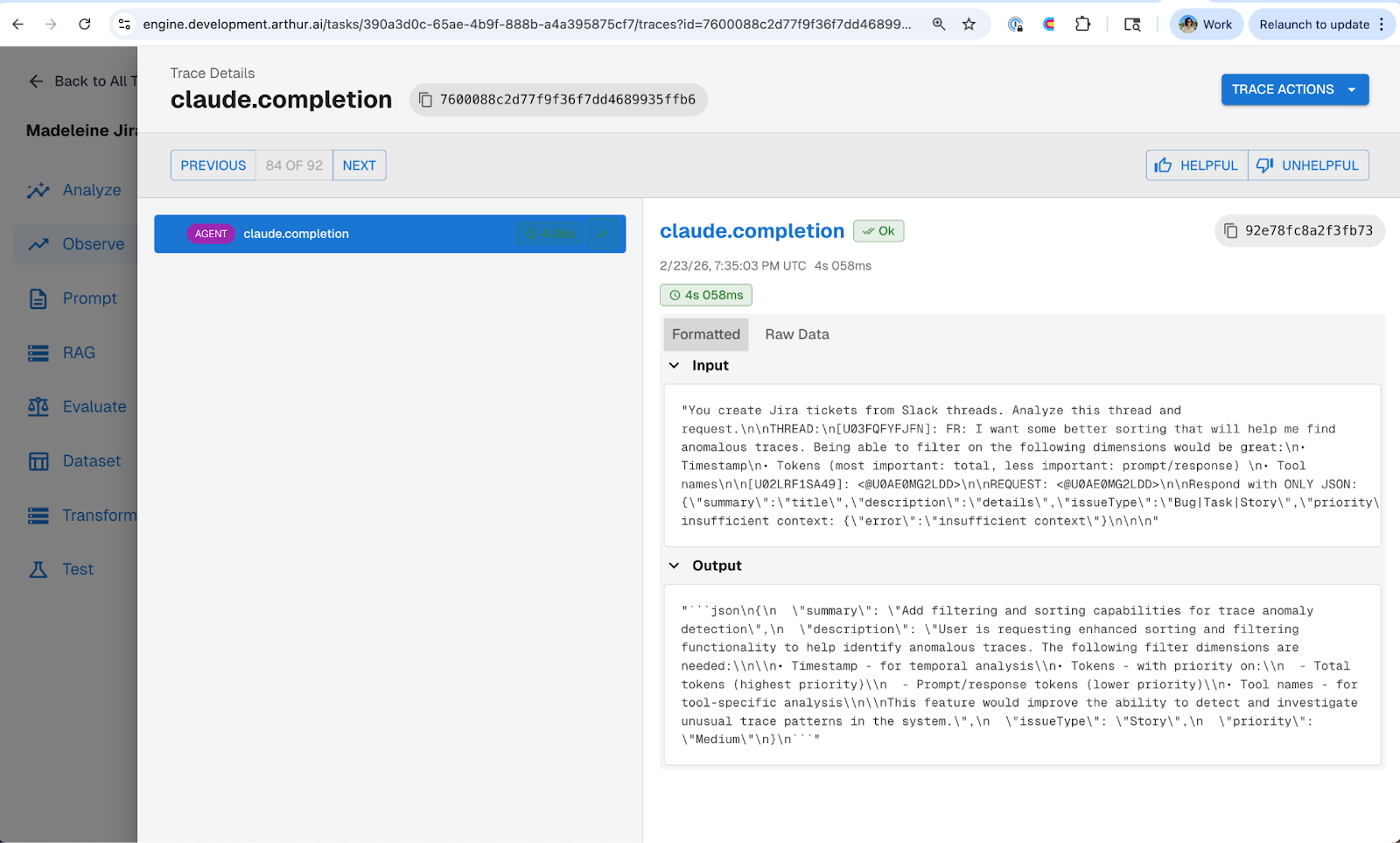
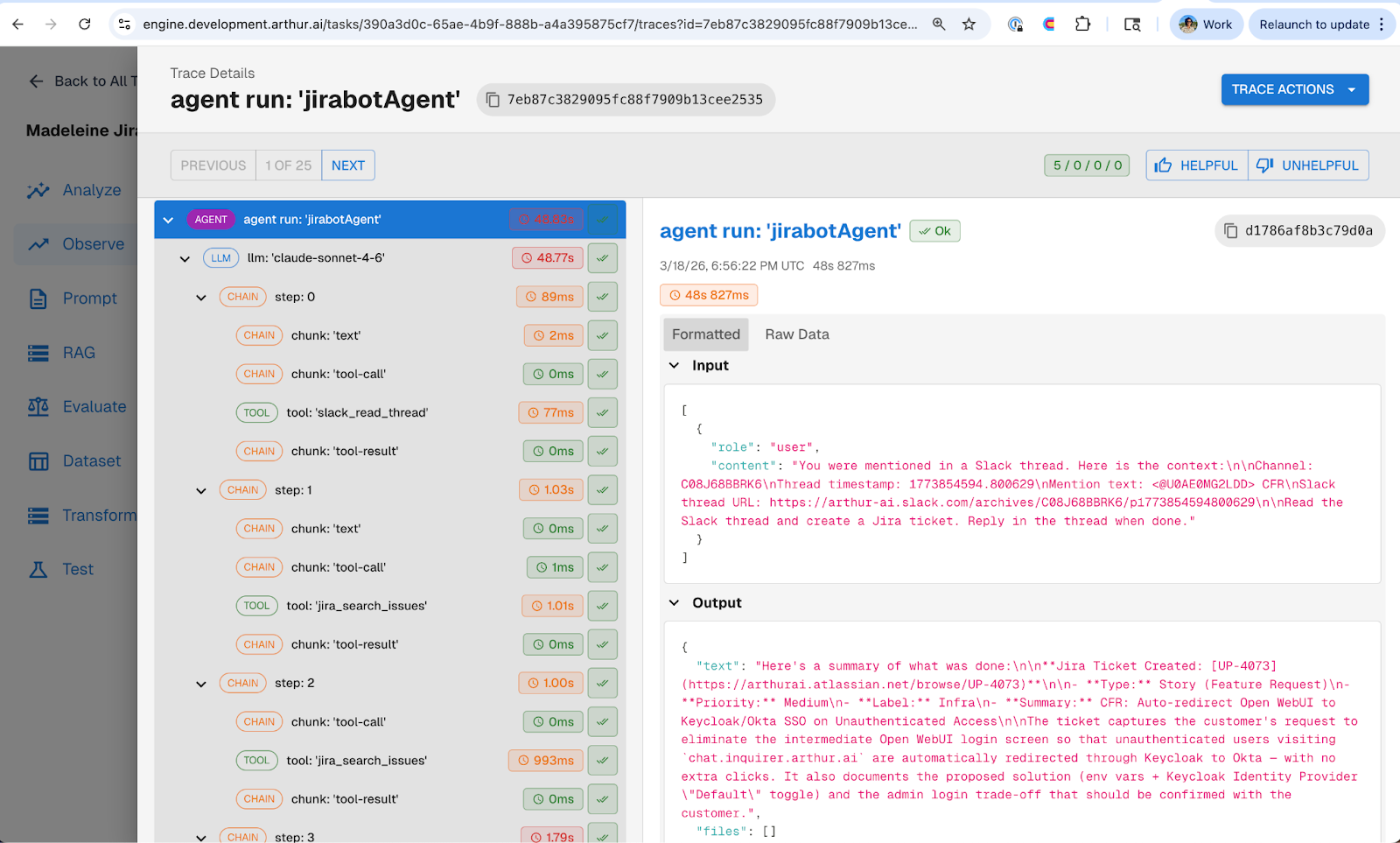
One of the best decisions Madeleine made was integrating OpenTelemetry tracing, using the Arthur Engine, into the Jirabot from day one. From the very first interaction, we were capturing usage stats, traces, and every step the agent took to create a ticket.
What the traces revealed about v1 of the agent was that it was making a single one-shot LLM call to generate a JSON payload that got passed directly to Jira's REST API. The rest of the logic was hardcoded. No tool use, no reasoning, just a prompt-to-JSON pipeline.
Without tracing, we would've been guessing about where to start improving. With it, we knew exactly what the agent was doing and where it was limited. This is one of the core ideas from Part 1 of our best practices series: the teams that instrument early are the ones that ship with confidence.
Writing Evals Before Writing Code
Reviewing the initial traces, three problems jumped out right away.
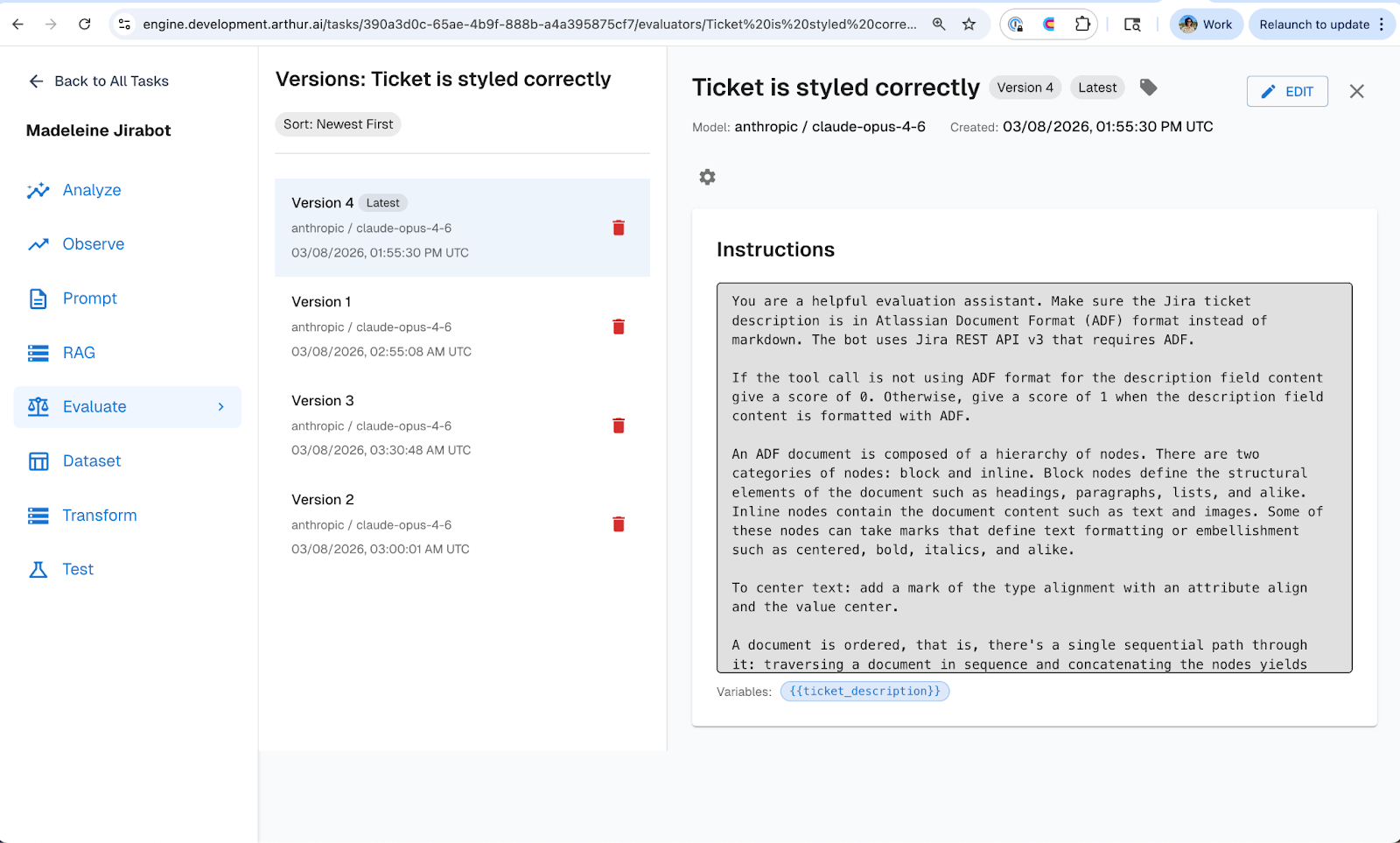
ADF formatting: The tickets looked broken. The bot was outputting Markdown in the ticket description, but Jira's REST API expects Atlassian Document Format (ADF). So all the formatting, headers, bullet points, code blocks, were rendered as raw Markdown text in Jira.
Priority accuracy: The bot was over-prioritizing everything. A bug discussed in a dev environment would get tagged as high priority, same as a production outage.
Incomplete tickets: The bot was filing tickets without the right information. Reproduction steps, impact, environment details, critical context that needed to actually work a ticket, were often missing. The bot would take whatever was in the Slack thread and pass it straight through, even when key details were absent. What we really wanted was for the agent to push back and ask clarifying questions before filing, so tickets arrived complete.
We could have jumped straight into fixing these by rewriting the prompt. But then how would we know the fixes actually worked? And how would we catch it if the same issues crept back in later?
So before touching any code or prompts, we wrote evals in Arthur Engine that mapped directly to these three failure modes. One eval checks the ticket description for correct ADF formatting, with enough context about what ADF looks like for the evaluator to make a clear judgment. The other checks whether the assigned priority is justified given the context of the Slack thread. And a third checks whether the ticket contains the required information (repro steps, impact, and environment details) before it gets filed.
Each eval was a binary pass/fail that targeted a single failure mode, and gave us an objective measure of whether the bot met our requirements. This follows the same approach we outline in Part 3: Continuous Evaluations: keeping evals binary, and anchored to real requirements. Define what "good" looks like before you start changing things.
Iterating Through Prompts, Not Code
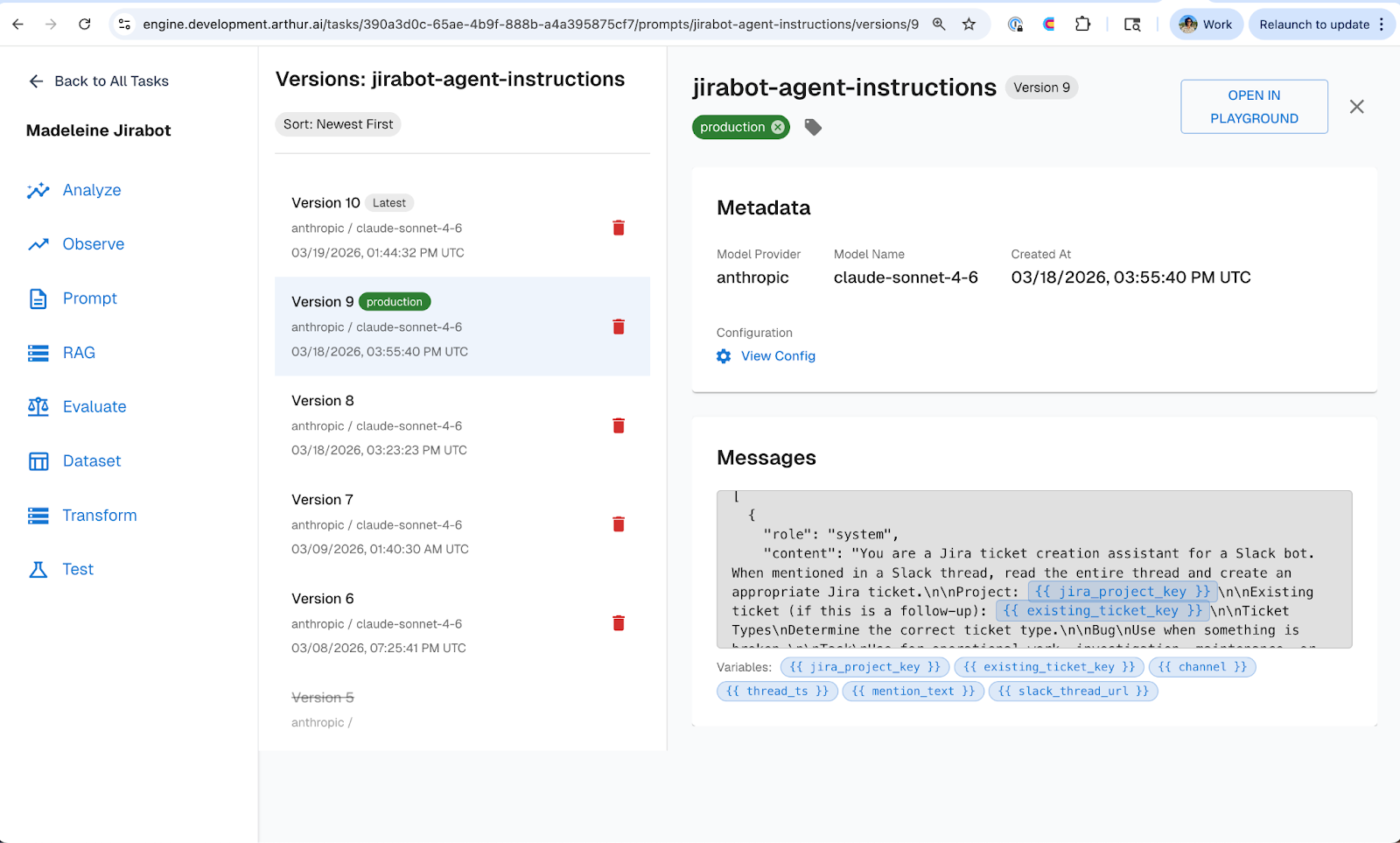
With evals defined, we moved to improving the agent’s prompts. But instead of rewriting hardcoded prompts in the codebase for every change, we migrated our jirabot prompts into Arthur Engine's prompt management tool.
We refactored the bot from that one-shot JSON approach to an agent with tools. Using the Arthur Engine prompt management UI, we added a system prompt giving the agent context on how to create well-structured tickets, defined a set of tools the agent could reason about and choose from, and made tool descriptions editable so we could adjust how the agent understood each tool's purpose.
The prompt management tool made it easy to see exactly what changed different versions of the prompt over time. And the key operational benefit: none of this required a re-deploy of the agent. Prompts are managed externally in Arthur Engine, so iteration happens in the UI, not in a PR. This is the core principle from Part 2: Prompt Management: decouple prompt iteration from application release cycles, and you iterate faster with fewer regressions.
Evals Caught What We Missed
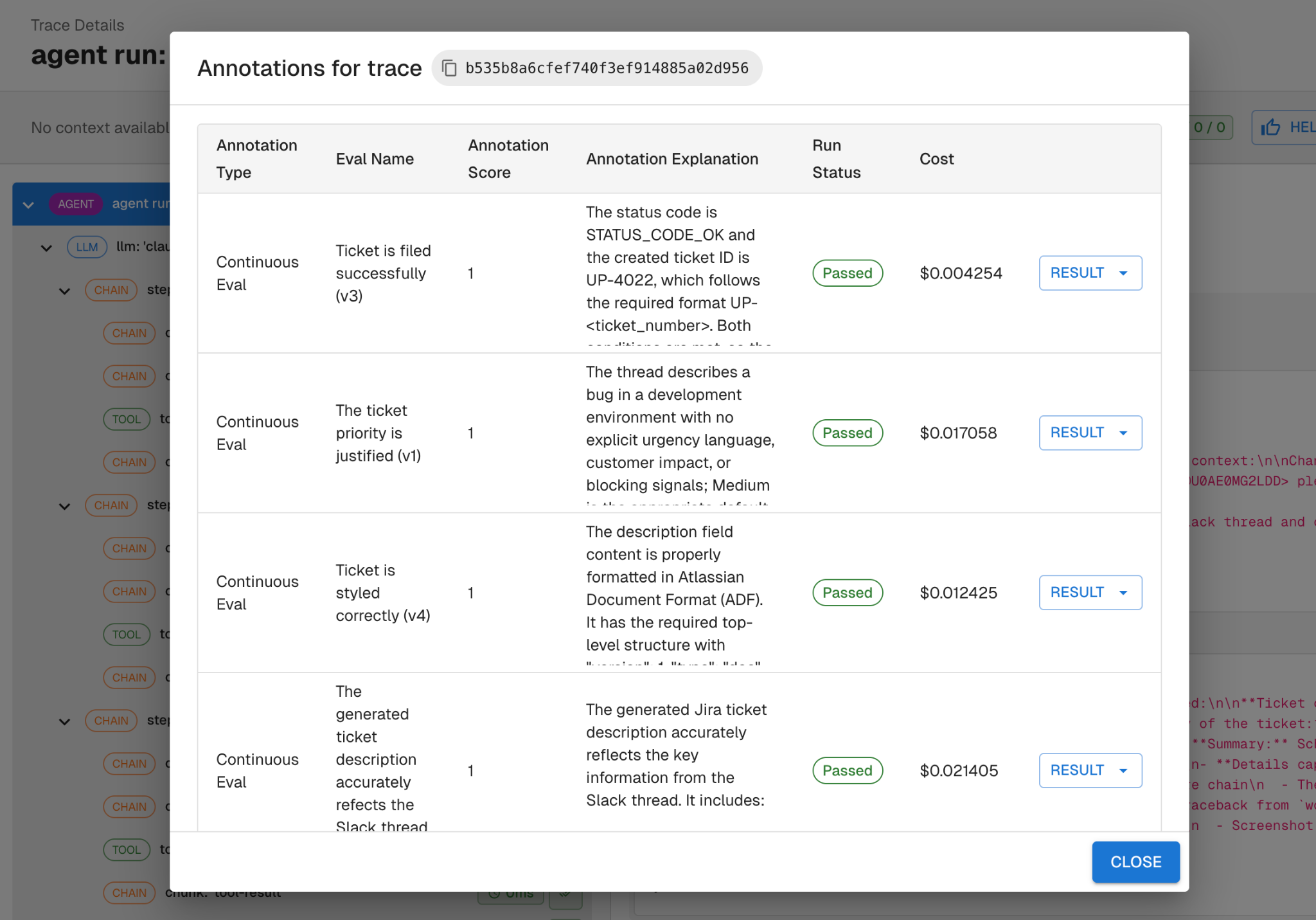
After the refactor, we ran continuous evals against the new agent's traces. Two evals failed.
The ADF eval flagged that we forgot to tell the updated agent to use ADF formatting. Despite the refactor, the agent inherited the same Markdown habit from v1 because we never explicitly told it otherwise in the updated prompt.
The priority eval flagged that the agent was still assigning high priority to dev environment issues. The new prompt didn't include any guidance on priority logic.
Both fixes were straightforward prompt updates: we added explicit ADF instructions and included context like "reserve high priority for high impact issues." We re-ran the evals and they all passed.
Without evals running against real traces, these regressions would have shipped to the team silently. The evals acted as an automated check that caught issues the moment they appeared, which is exactly the feedback loop described in Part 4: Experiments & Supervised Evals.
The Pattern
What played out with the Jirabot agent is the Agent Development Flywheel in practice:
Instrument your agent from day one so you have visibility into what it's actually doing. Write evals that map to your specific requirements before you start changing things. Iterate on prompts through a remote management layer rather than redeploying code. Let evals validate that your changes actually worked and didn't break something else.
This pattern works whether you're building an internal Slack bot or a customer-facing production agent. The Jira bot was a simple use case, but the same workflow applies at any scale.
—
If you want to go deeper on best practices for building agents check out our series:
- Part 1: Observability and Tracing
- Part 2: Prompt Management
- Part 3: Continuous Evaluations
- Part 4: Experiments & Supervised Evals
—
Want to see this in action? Nori demoed the entire Jira bot journey live at Future of DevEx NYC
SHARE


